
Handle Different Bottle Sizes & Products
Organize wine, beer, and spirits products with their names, sizes, images, and promotional prices.
FOR LIQUOR STORES
Turn your wine, beer, and spirits specials into print-ready flyers, social media images, and online promotions. Import product deals from Excel or CSV and create professional-looking materials with ready-made layouts.
No Design Experience Required.
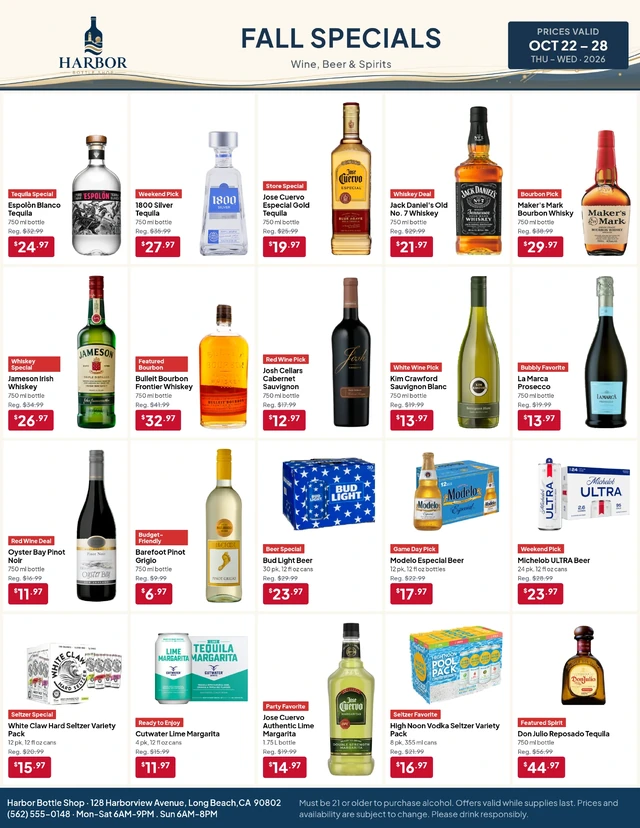
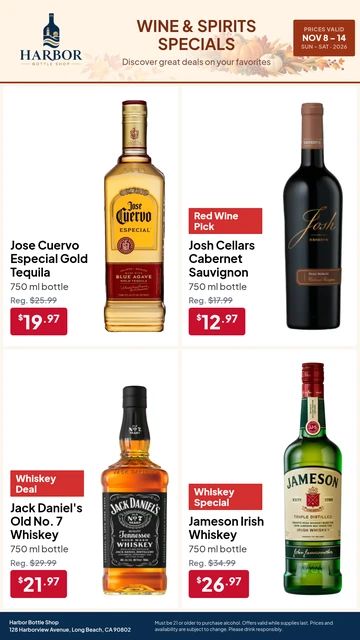
Import wine and spirits deals, organize product images, choose a layout, and prepare promotional materials for print and sharing.
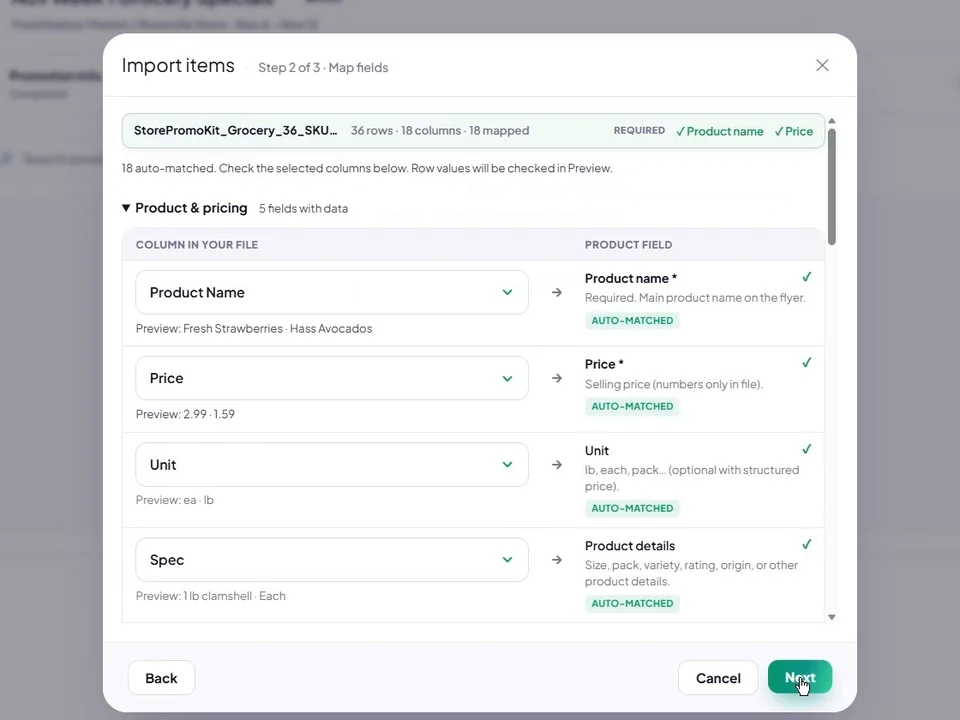
Import wine, beer, and spirits products from Excel or CSV, including POS exports, and map product and pricing fields.
Field mapping shown with a grocery sample.
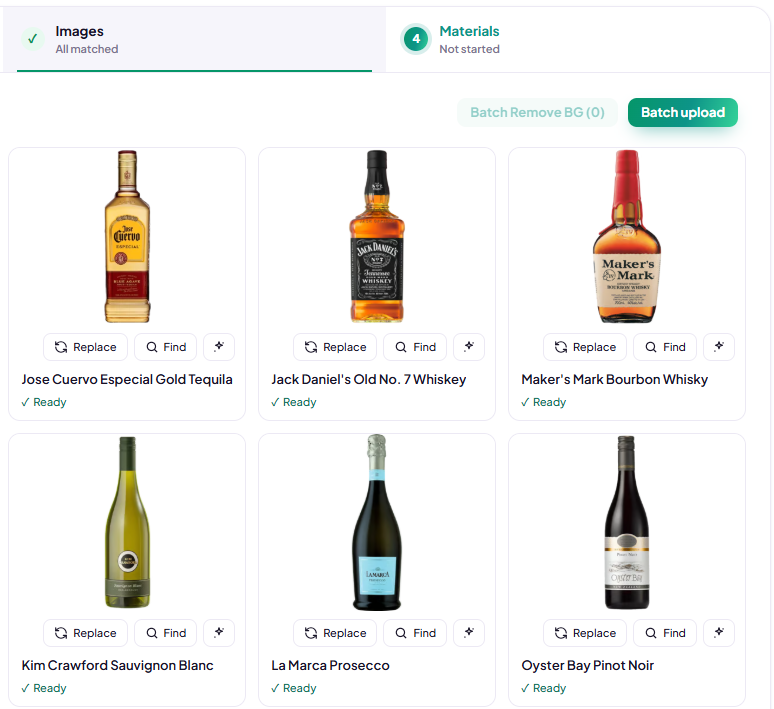
Upload product images or reuse existing bottle photos from your Product Library.
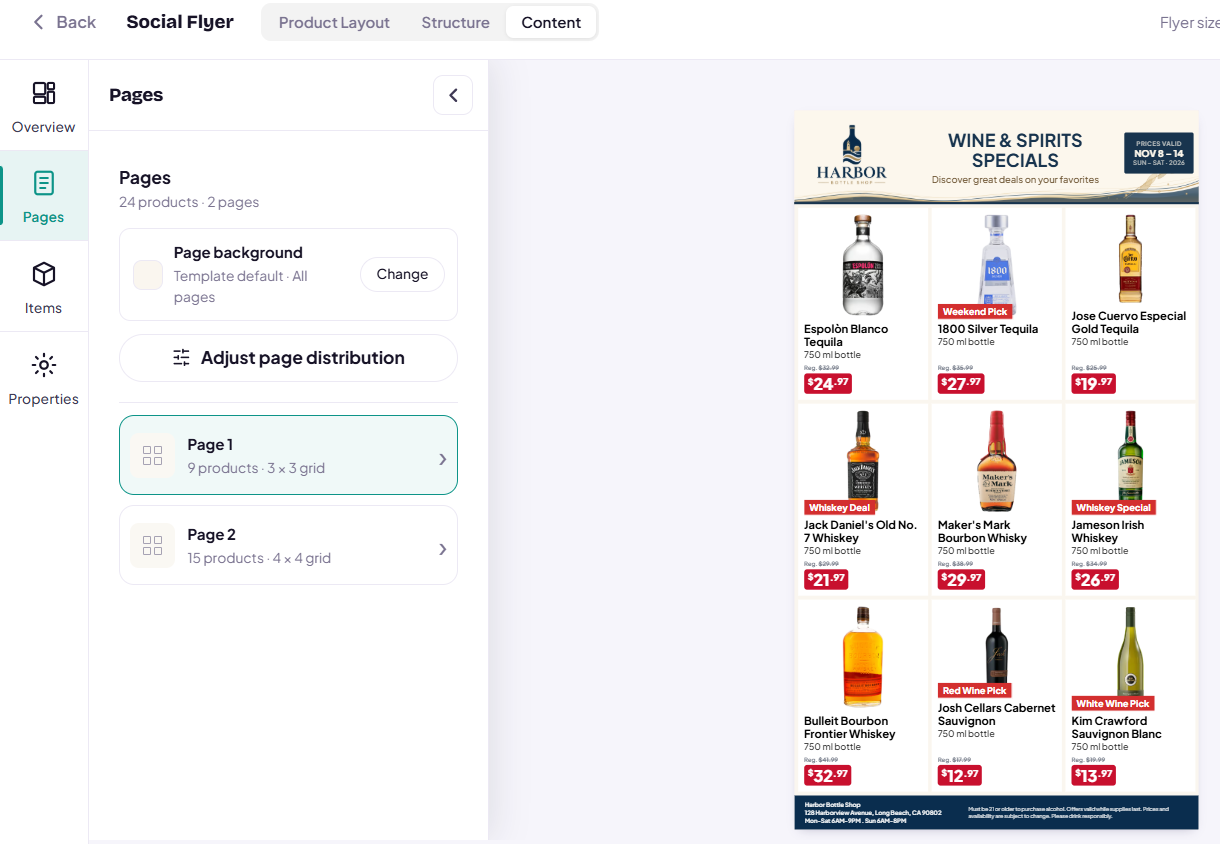
Select a ready-made layout for your product deals and review the resulting flyer.
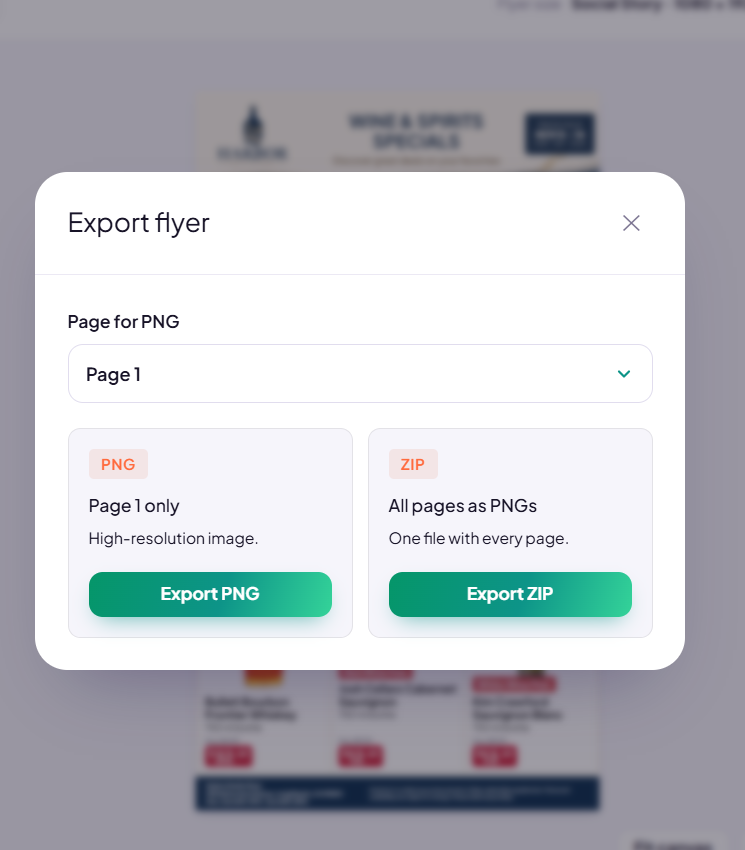
Export print and social flyers, or share a published Digital Flyer through a link.
Explore real StorePromoKit outputs for weekly bottle specials, social media promotions, and featured product deals.
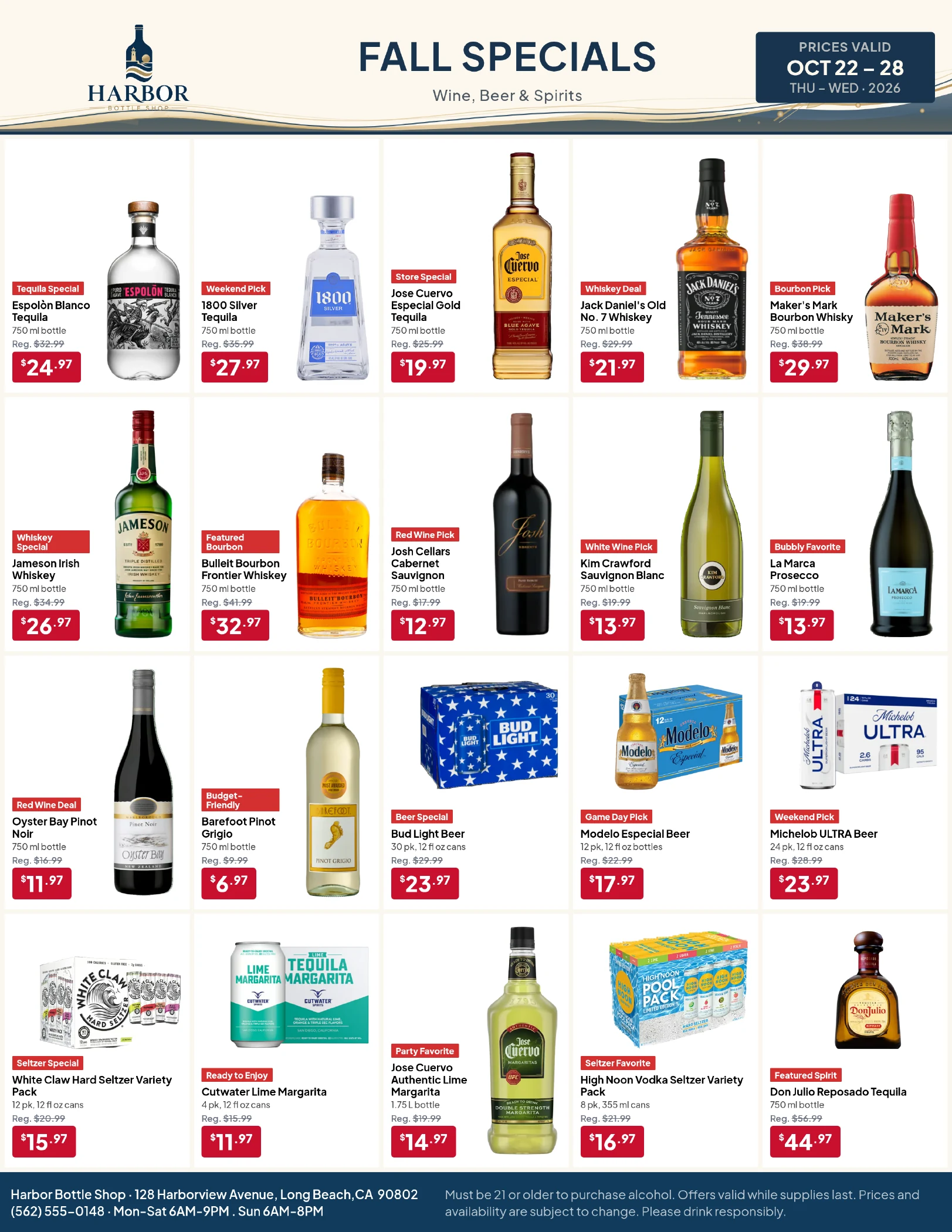
Organize weekly wine, beer, and spirits specials into a print-ready promotion.
View Full Size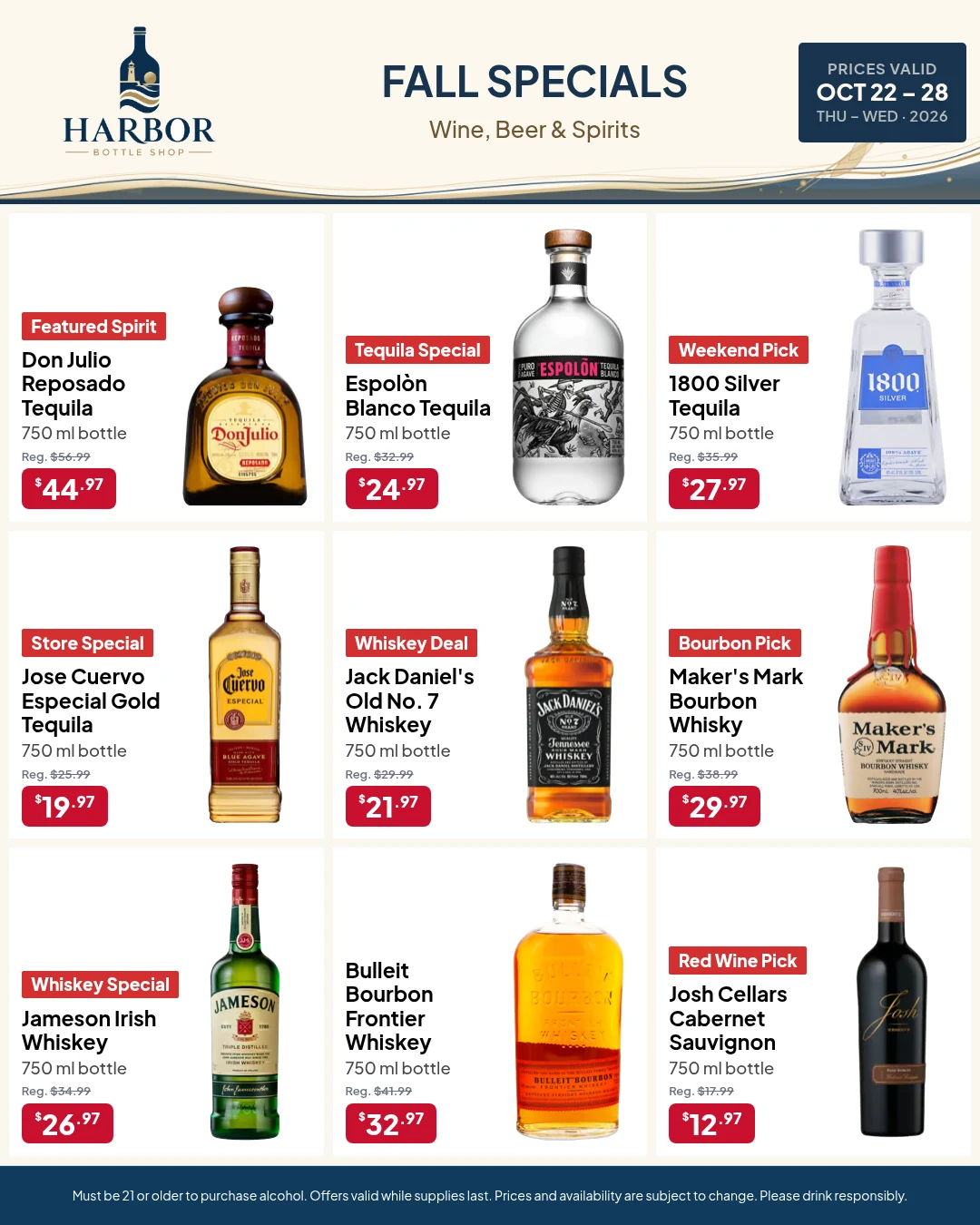
Share multiple bottle deals in a ready-to-post Feed or Story image.
View Full Size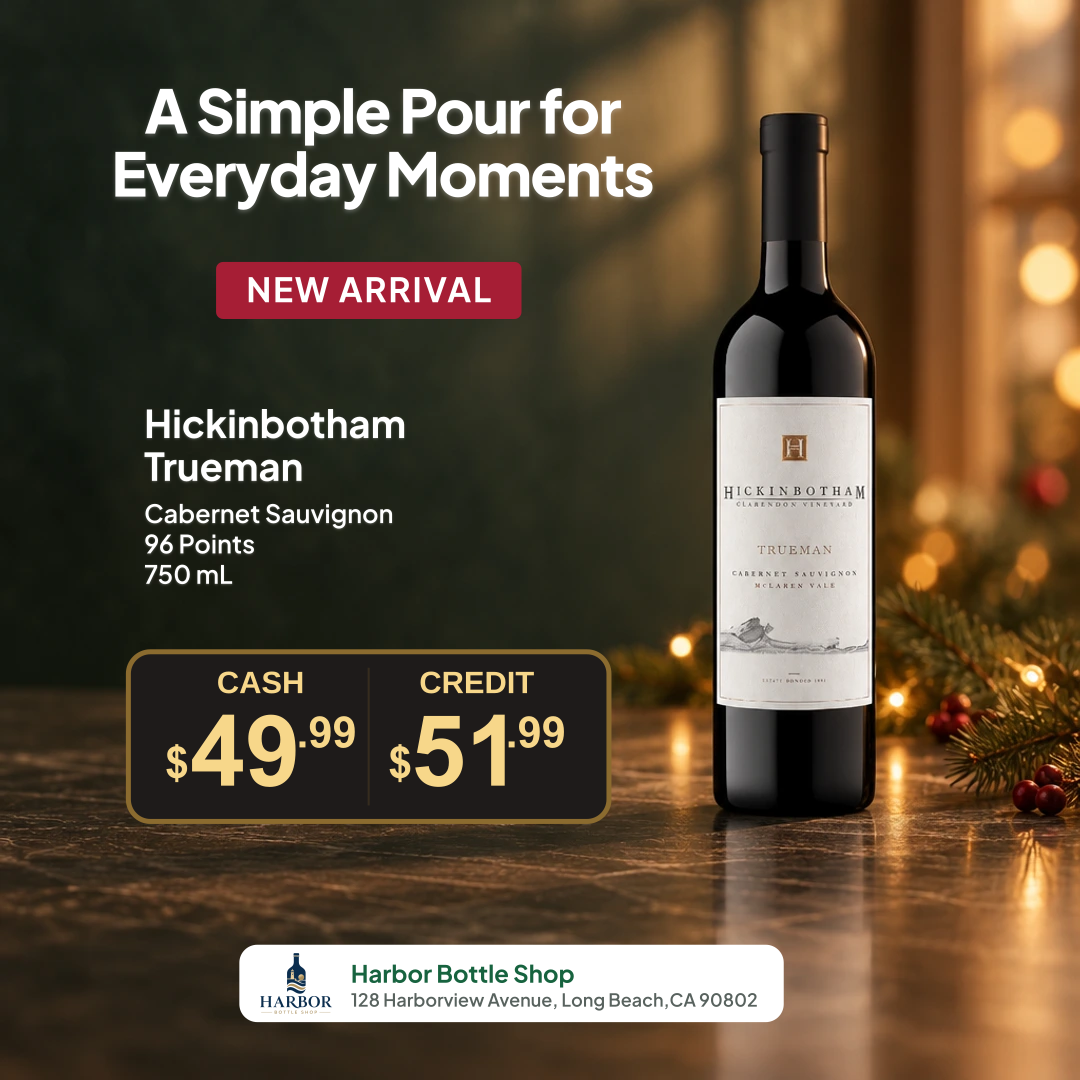
Highlight a featured bottle and show separate cash and credit prices alongside your store branding.
View Full SizeDemo examples: Store names, promotions, and prices are for demonstration purposes only. Not actual retail offers.
Liquor stores, wine shops, and bottle shops can prepare weekly specials and featured bottle offers using their own products, prices, and branding.
Organize wine, beer, and spirits products with their names, sizes, images, and promotional prices.
Show sale prices and supported offers alongside bottle sizes or pack quantities. Review how each offer appears in your chosen format.
Keep product photos and store details available for future promotional materials.
Yes. Import your product list from Excel or CSV, including files exported from your POS system, and map product names, prices, and other available fields.
Yes. Add products from those categories to a Campaign, then choose a flyer layout for your promotion.
Yes. Use Product Poster Maker to highlight individual products with promotional pricing, product details, and your store branding.
Yes. Use the same Campaign product information to create print-ready flyers and downloadable social media images.
No. StorePromoKit provides ready-made layouts so you can prepare promotional materials without professional design software.
No. Download your promotional images and publish them using your own social media accounts or tools.
Bring your product deals or start with sample products. No design experience required.